 Super Ace Game Check
Identity checklists / JILI SUPER ACE
Check that an image belongs
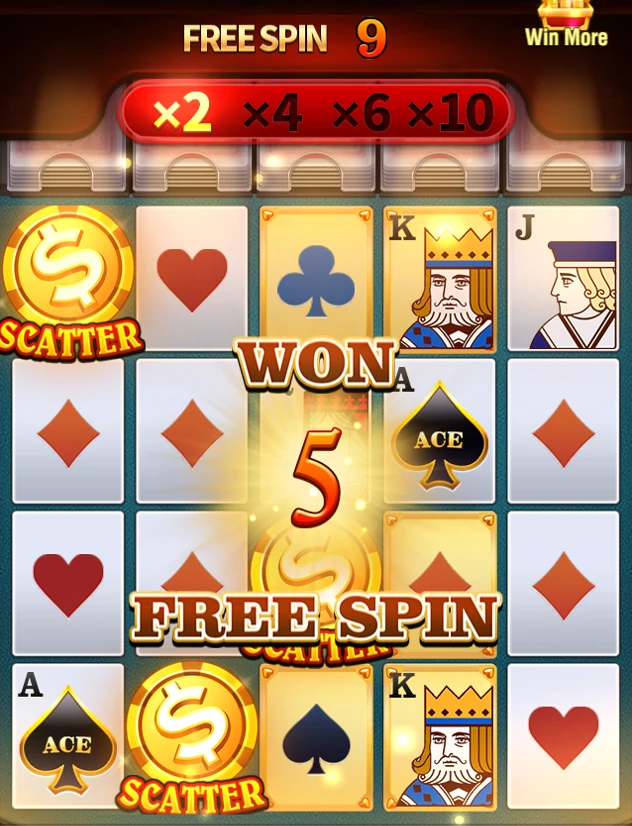
Look for identifiable game labels and compare the layout with the provider reference. A similar crown or playing card motif alone is insufficient to identify a screenshot.
Put the reading into practice
Keep image provenance alongside the file. A caption should distinguish an official game screen from a decorative editorial illustration.
- Identify the exact question and the game release it concerns.
- Keep the relevant screen label next to the source section.
- Separate what is directly visible from what still needs confirmation.
Reference point. The JILI product page identifies Super Ace as a slot with 1,024 ways and names Free Game, Free Spin and Multiplier features. It describes a Golden Card changing into a Golden Joker after elimination. Check the applicable in-game rules for detailed conditions.
Keep Free Game information together
The provider names Free Game as a feature. The detailed rules connect it to Scatter conditions and a separate multiplier display.
Worked reading exercise
Use a note with three fields: mode name, remaining spins and the displayed multiplier. Read all three from the same screen state. A remaining-spin counter is a count of feature rounds, not the current monetary result or a forecast of what those rounds will return.
Keep the scope clear
This article focuses on identity checklists. Examples are reading aids, and do not predict a future round. The current rules and paytable remain the reference for the version on your screen.